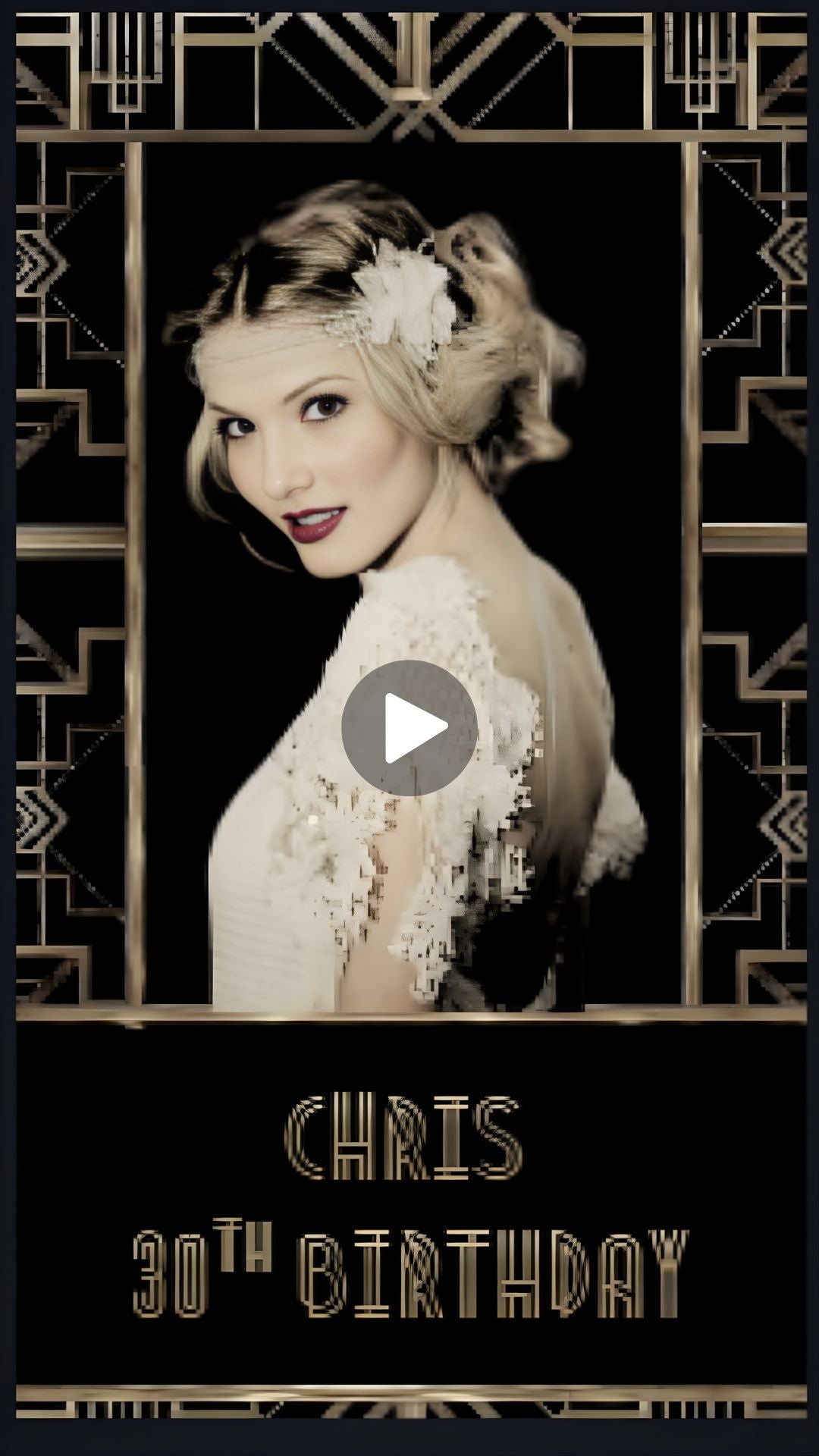
What Makes a Great Gatsby Invitation Feel Like the Real Era?
AGreat Gatsby invitation has one job. Treat the guest like they have received a royal summons, a personal invitation to the party of the decade! Gold art deco lines with Champagne tones & a strong serif font. Every frame in this video pulls from that roaring twenties visual language. Nothing feels modern or off-theme. A real editor drops your name, date, and venue directly into the design by hand. Your finished MP4 lands in your email and WhatsApp within 48 hours. Free revisions are always included—no hidden fees. No shortcuts.
How Do Great Gatsby Party Ideas Start With the Invitation?
The invite is the first thing guests touch. It tells them how seriously you took the theme. StrongGreat Gatsby party ideas always begin here—feathers, pearls, black tie, speakeasy entry. Guests start planning their outfits the moment they watch this video. Theroaring twenties aesthetic carries instant recognition. Guests know what to wear, how to show up, and what energy to bring. ThisGreat Gatsby invitation video does that work for you before you hang a single decoration. One sharp video sets the full expectation for the night ahead.
Why You’ll Love It
◆ Inspired by 1920s Gatsby glamour and Art Deco elegance ◆ Eco-friendly & budget-friendly – no printing required ◆ Perfect for last-minute planning ◆ Easy sharing with guests via text, WhatsApp, email, or social media
Package Options
Video + RSVP (Recommended)
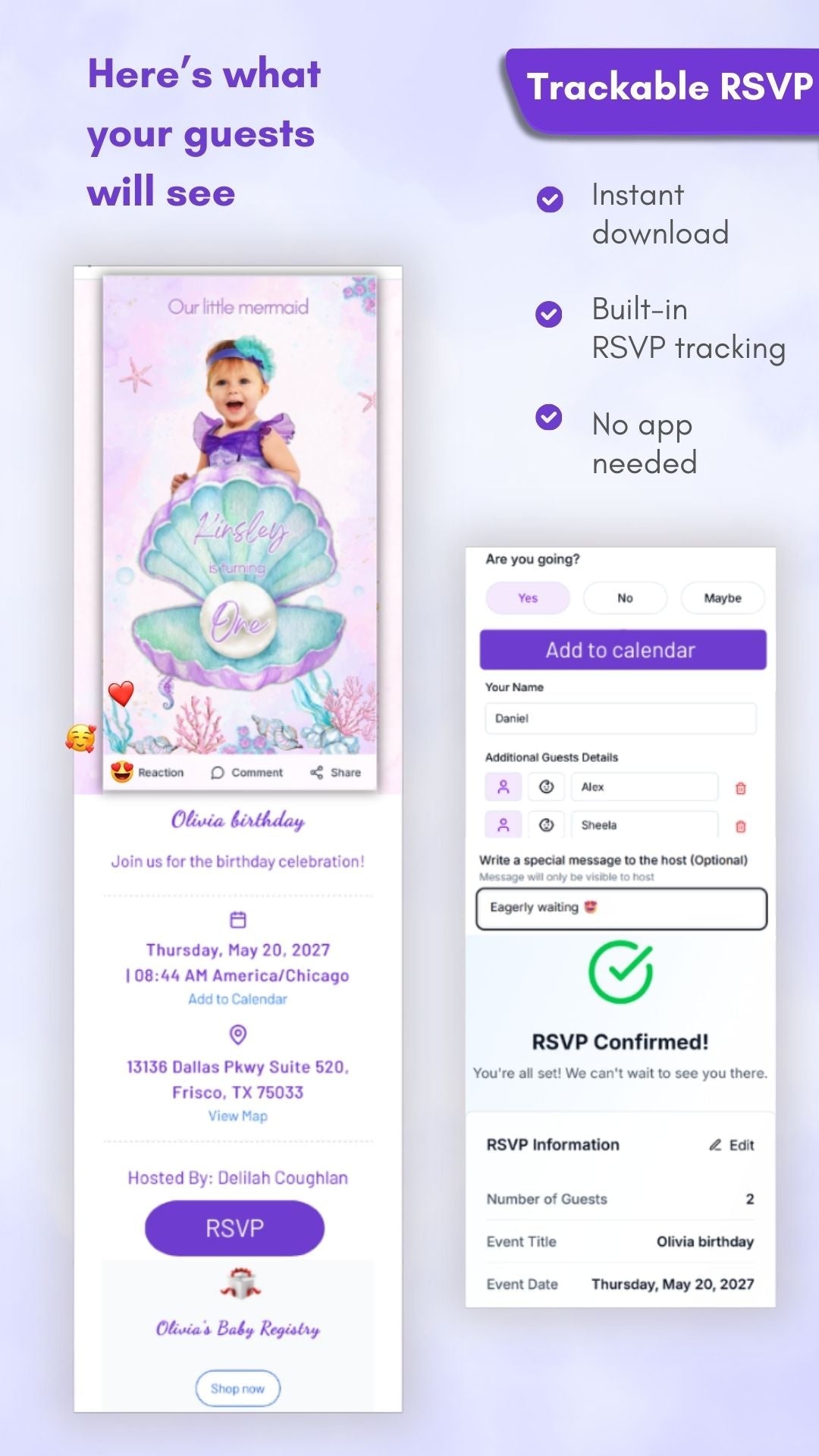
Live RSVP page, guest tracking, auto reminders, exportable guest list
Video Only
Animated MP4 invitation
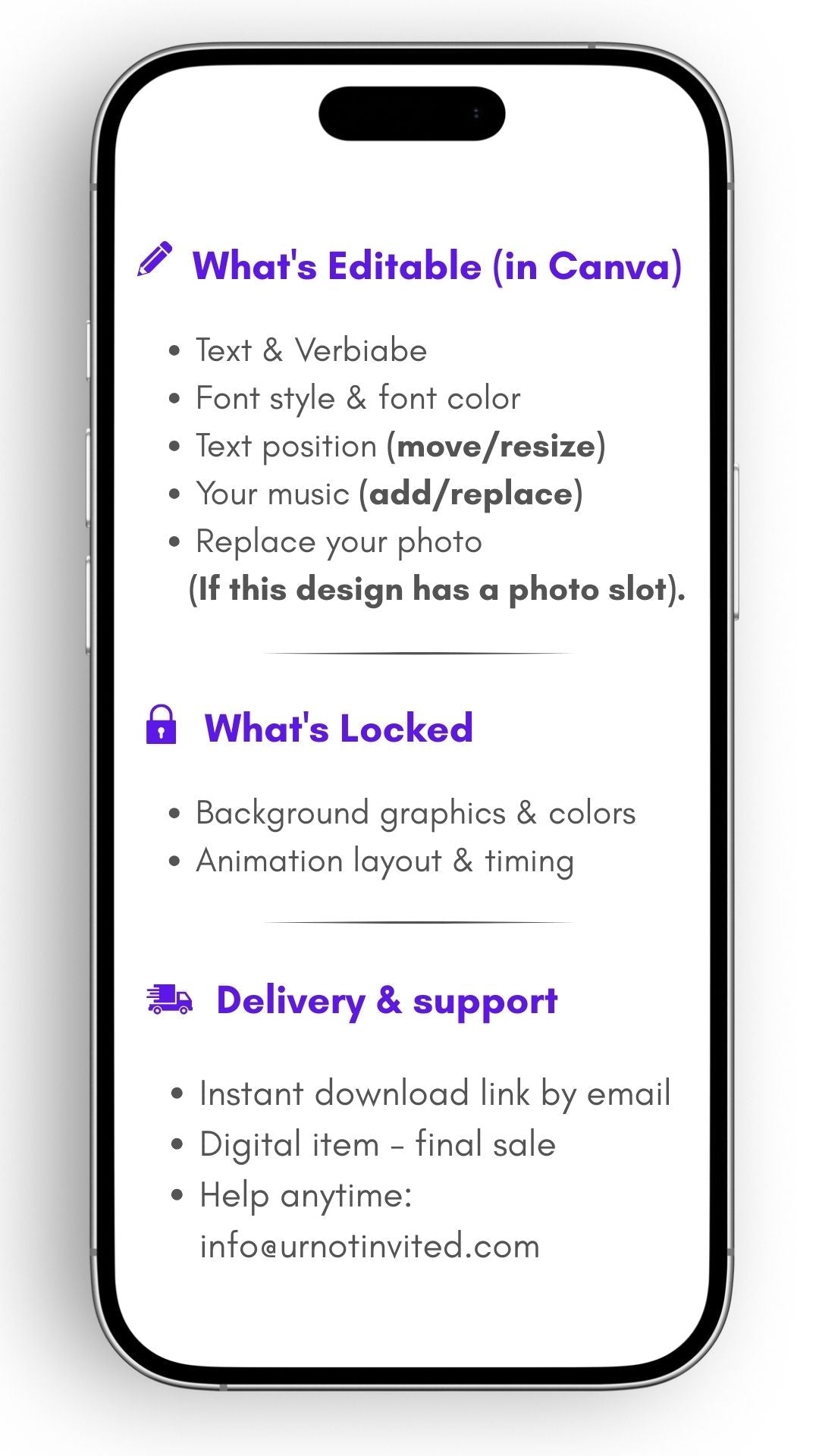
What’s Editable in Canva
◆ Text & wording ◆ Font style & color ◆ Text position (move/resize) ◆ Add or replace music ◆ Replace photo (if included)
How It Works
Download & Open – Receive a PDF with your Canva template link instantly
Customize – Edit text, photos, and music in Canva’s free editor
Share – Export your video and send via WhatsApp, email, social media, or print
What You’ll Get
✓ Canva video invitation template (mobile-friendly) ✓ PDF guide with clickable link + step-by-step instructions ✓ Bonus video tutorial for easy editing ✓ Lifetime access to template updates
Good to Know
✓ Instant digital download – no physical item shipped ✓ Best shared via WhatsApp, Email, or Social Media ✓ Colors may vary slightly by screen ✓ Digital items are non-refundable ✓ For personal use only
Optional Upgrades
✧ Crystal-clear video playback (no blur or compression) ✧ One-click RSVP system ✧ Automatic reminders for guests ✧ Real-time RSVP tracking ✧ Guest limit control
Need Help?
Email: info@urnotinvited.com Call: 1-(833)-577-1907 Custom edits available within 24–48 hours (additional fee applies)
Call to Action
Create a Gatsby-inspired birthday celebration your guests will never forget! Click Add to Cart now, edit in minutes, and wow your guests with Roaring 20s elegance and glam!
Features And Tools
FAQ
Fill out the form with your name, event details, event location etc,. Upload the picture of your preference to be displayed in the video. Once done, add it to your cart. During checkout, you can add any special notes if needed. We'll send the video as an MP4 file to your email, so you can easily share it with your loved ones through various messaging apps like Messenger, WhatsApp, iMessage, Facebook, and Email.`
Your customized invitation will be ready within 24-48 hours from the time the order is placed.
Absolutely YES! If you want to add additional details, feel free to write to us at info@urnotinvited.com. Our team will get back to you ASAP.
Yes. Ensure you buy the ‘Customization’ option and enter the necessary changes you require during checkout.
Yes, we are culturally diverse and open to international languages and traditions. Add your preferred language in the additional notes section before checkout
We will email your video invitation as an MP4 file. You can download it and easily share it via messaging apps such as Messenger, WhatsApp, DM, iMessage, and Email; you can also upload it in social media platforms such as Facebook, Instagram, Pinterest etc.
Our easy-to-use RSVP button, found directly below your personalized invitation video on the webpage, simplifies guest management. Simply click to confirm attendance, and track responses in real-time to effortlessly manage your event details.
The template is fantastic and easily modifiable, even for someone who is new to Canva and Invitation Maker! When I had questions, the urnotinvited team was quick to respond with easy-to-follow instructions. I highly recommend.
I did this invitation for my cousin, and she LOVES IT... THANK YOU, IT WAS WORTH II did this invitation for my cousin, and she LOVES IT... THANK YOU, IT WAS WORTH IT. WILL SUPPORT AGAIN. T. WILL SUPPORT AGAIN.
Denim & Pearl Birthday Video Invitation
Anna Koroni
Excellent work
Thank you so much for your kindness ! I am so happy with this booba video birthday invitation! I would definitely recommend you to my people! Keep up the good work!
Little Booba Birthday Video Invitation
Ursula Mclendon
Swag Bday Video
I have edits and it is very difficult to communicate with anyone from your service. I like to speak to people so that they can fully understand the issue at hand.
Swag Birthday Video Invitation - Swag Gold And Red Theme Party Invite | Canva Template | Instant Download
Saraiha Conner
I love it!
Just perfect for my sisters 30th birthday! Just cute and customized!
Death to His 20s Birthday Animated Video Invitation
Alexandra Stout
Incredible!!!!!!
Perfectly executed our custom video invitation for a first birthday party. Excellent customer service.