ReelUp tracking pixel Read the Privacy Policy
0

Tu carrito está vacío

Death to His 20s Birthday Animated Video Invitation for Birthday Party

Choose Your Invitation Style

Please select an option to see details.


Why Does Turning 30 Need Its Own Invitation Birthday Style?

Thirty hits different than any other birthday. The 20s are gone and everyone in that room knows it. A flat card does not do that justice. This invitation birthday video leans into the humor and the heat of that moment. Bold animation, dark playful visuals, and sharp text work together in every frame. A real editor builds your invitation for birthday party by hand around your details. Name, date, venue, dress code. All placed exactly where they belong. Your MP4 lands in email and WhatsApp within 48 hours. Free revisions come with every order.

How Do You Make Birthday Invitations That Actually Get a Reaction?

Most people search how to make birthday invitations and end up with the same free template everyone else uses. This video skips that entirely. Your birthday party invitations get built from scratch by a real editor. No recycled layouts. No stock overlays. The death to his 20s concept carries instant humor and recognition. Guests laugh, share it, and drop it in every group chat. Your invite on birthday party does the promotion for you before a single decoration goes up. That kind of organic buzz starts with one sharp video in the right inbox.

Choose your package
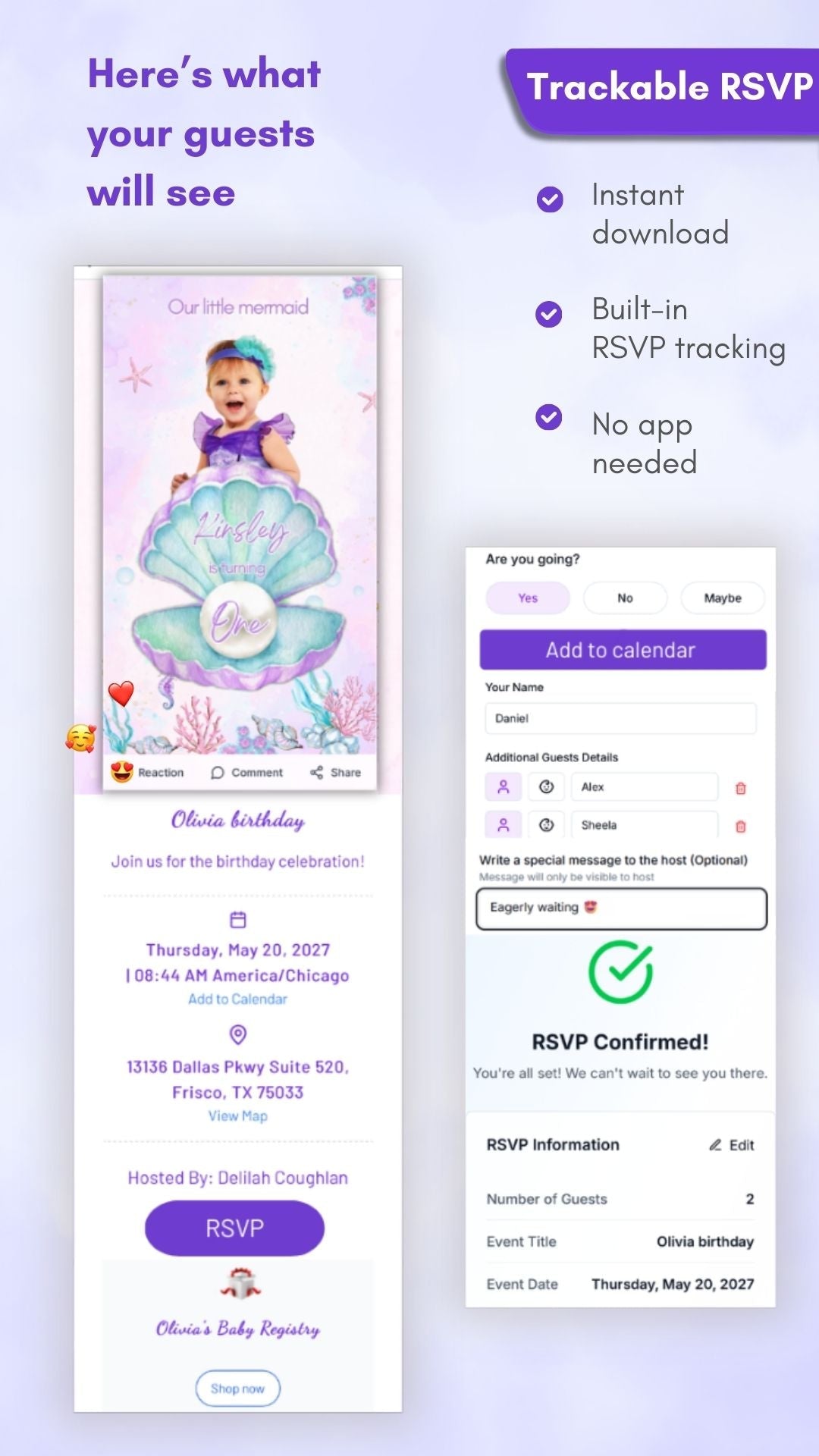
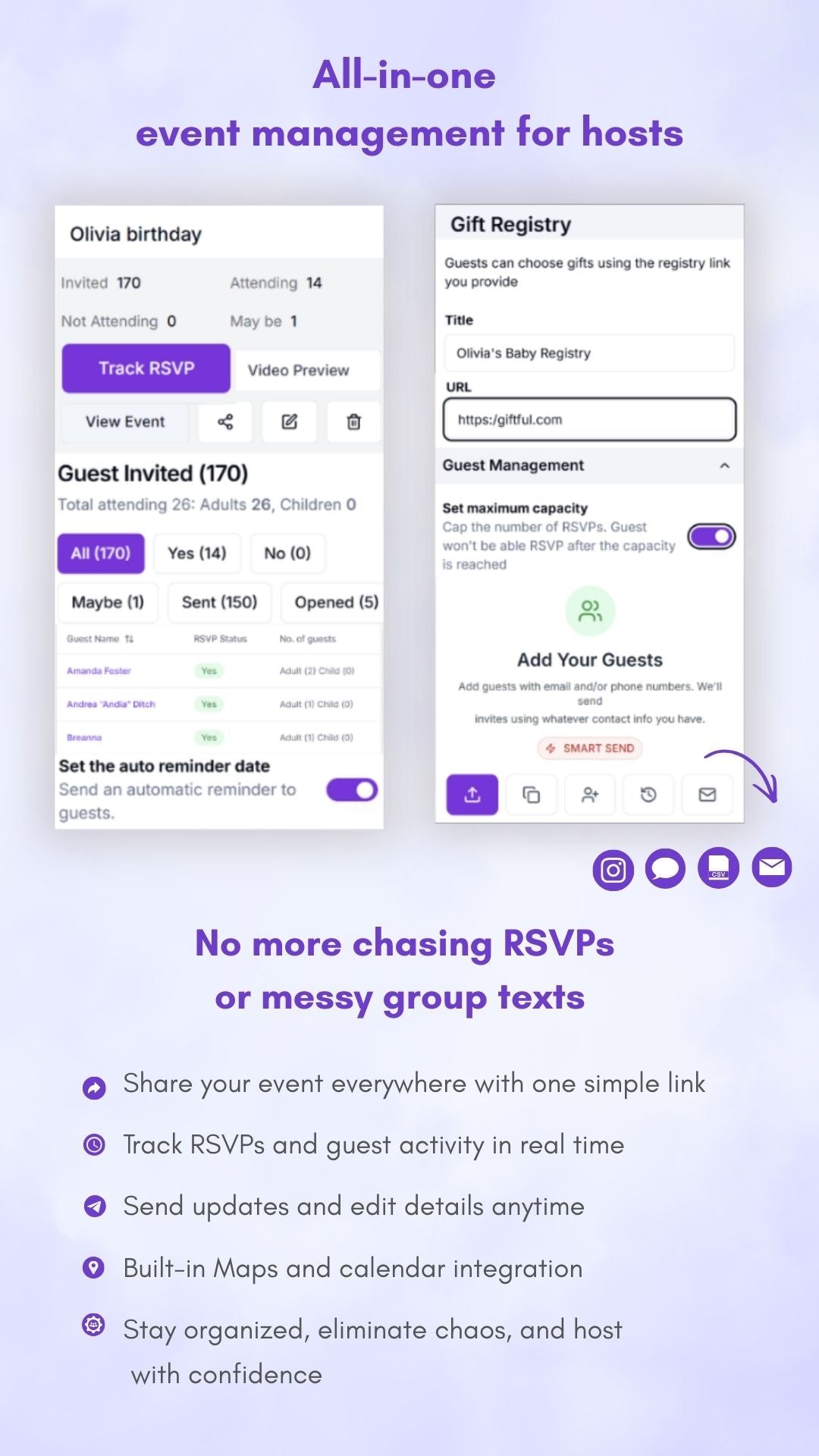
✓ Video + RSVP (recommended): Live RSVP page, guest counts, alerts, auto reminders, exportable list
✓ Video only: Animated video (MP4). No RSVP page or notifications

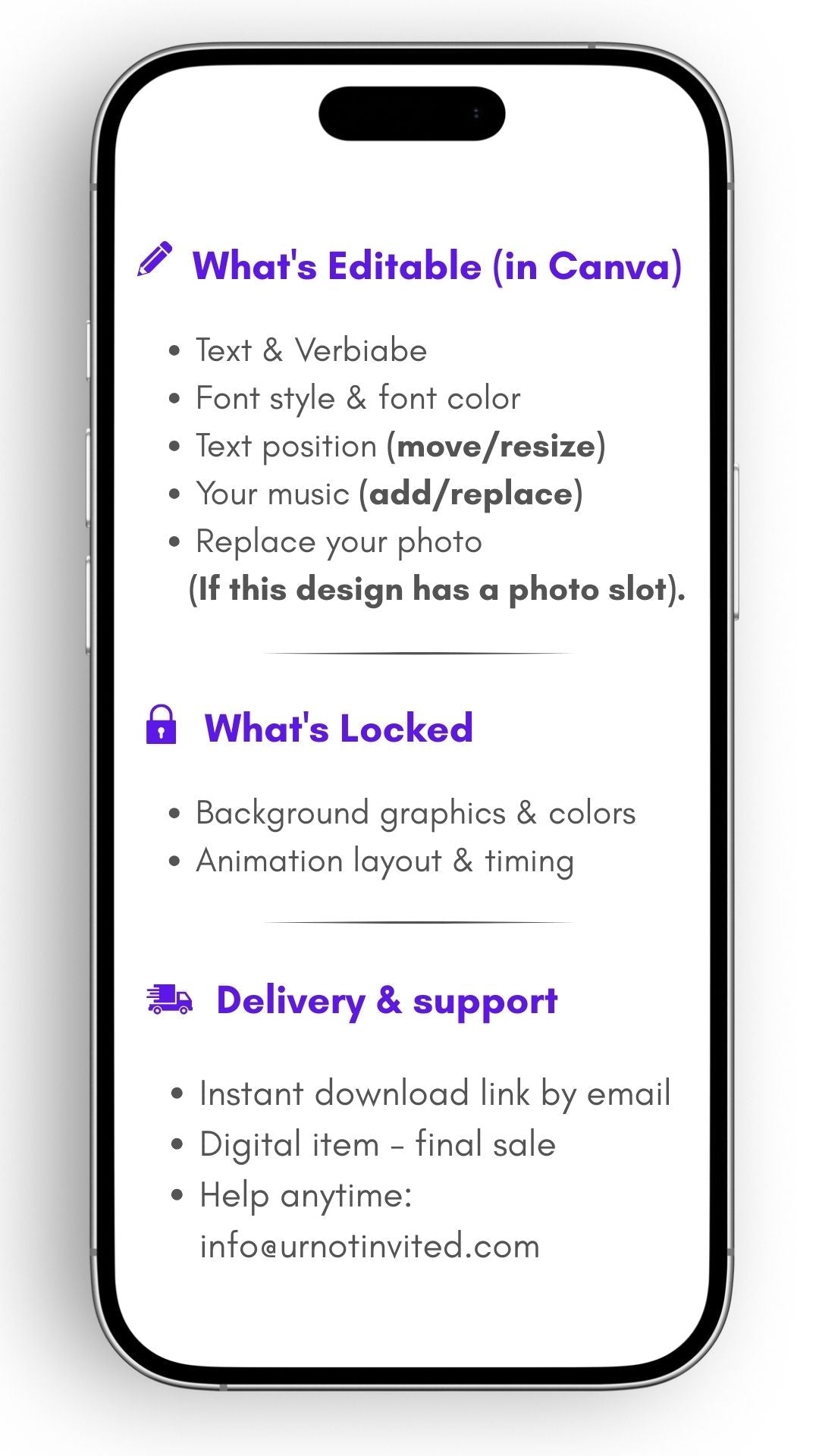
What’s editable (in Canva)
◆ Text & verbiage
◆ Font style & font color
◆ Text position (move/resize)
◆ Your music (add/replace)
◆ Replace your photo (if this design has a photo slot)

What’s locked
◆ Background graphics & colors
◆ Animation layout & timing

How it works

  1. Download & open – instantly receive a PDF with your Canva template link.

  2. Customize in Canva – edit text, photos, and music in Canva’s free editor.

  3. Save & share – export your video and share it via text, WhatsApp, email, or social media.

What you’ll get
 ✓ Canva video invitation template (mobile–friendly size)
 ✓ PDF guide with clickable link + step-by-step instructions
 ✓ Bonus video tutorial for easy editing
 ✓ Lifetime access to your template and updates


Good to know
 ✓ Instant digital download – no physical item shipped
 ✓ Best shared via WhatsApp, Email, or Social Media (not Text for Android users)
 ✓ Use the correct email at checkout for instant access
 ✓ Colors may vary slightly between screens
 ✓ Digital items are non–refundable (all sales final)
 ✓ For personal use only – not for resale or redistributionWhy you’ll love it
◆ Eco-friendly + budget-friendly – no printing or shipping required
◆ Perfect for last-minute planning
◆ Easy sharing with guests via text, WhatsApp, email, or social media


Upgrade your invite (optional)
 ✧ Crystal-clear video playback – no blur or compression
 ✧ One-click RSVPs – guests reply instantly online
 ✧ Automatic reminders – no more chasing confirmations
 ✧ Real-time tracking – see who opened and RSVP’d
 ✧ Guest limit control – manage attendance with ease


Need help?
 ✓ Email: info@urnotinvited.com
 ✓ Call: 1–(833)-577-1907
 ✓ Want us to customize it?
    We’ll edit your invitation and deliver it to your email within 24–48 hours (additional fee applies).

Ready to create the invitation they'll actually remember?
Click "Add to cart" now. Edit in 5 minutes. Wow your guests for years!


Features And Tools

FAQ

Fill out the form with your name, event details, event location etc,. Upload the picture of your preference to be displayed in the video. Once done, add it to your cart. During checkout, you can add any special notes if needed. We'll send the video as an MP4 file to your email, so you can easily share it with your loved ones through various messaging apps like Messenger, WhatsApp, iMessage, Facebook, and Email.`

Your customized invitation will be ready within 24-48 hours from the time the order is placed.

Absolutely YES! If you want to add additional details, feel free to write to us at info@urnotinvited.com. Our team will get back to you ASAP.

Yes. Ensure you buy the ‘Customization’ option and enter the necessary changes you require during checkout.

Yes, we are culturally diverse and open to international languages and traditions. Add your preferred language in the additional notes section before checkout

We will email your video invitation as an MP4 file. You can download it and easily share it via messaging apps such as Messenger, WhatsApp, DM, iMessage, and Email; you can also upload it in social media platforms such as Facebook, Instagram, Pinterest etc.

Our easy-to-use RSVP button, found directly below your personalized invitation video on the webpage, simplifies guest management. Simply click to confirm attendance, and track responses in real-time to effortlessly manage your event details.

Cannot place order, conditions not met:
OK